设置指南
客户端设置
按照以下说明使用 AmneziaVPN 应用程序或 WireGuard 安全地将您的设备连接到 FreeWave VPN。
1. 打开 Telegram 机器人
打开 Telegram 并与 @FreeWaveVPN_bot 开始对话。发送命令 /trial。
2. 接收令牌
机器人将回复您的个人 24 小时访问令牌。复制完整的令牌文本。
3. 登录
点击机器人发送的登录链接,或访问登录页面并手动粘贴令牌。
4. 下载并连接
前往下载页面获取您的配置文件和二维码,然后按照下方的平台指南操作。
限制:每个 Telegram 账号每月 1 次。
| 平台 | 推荐 App | 备选 |
|---|---|---|
| iOS | AmneziaVPN (App Store) | Hiddify / WireGuard |
| Android | AmneziaVPN (Play 商店 / APK) | Hiddify / WireGuard |
| macOS | AmneziaVPN (amnezia.org) | Hiddify / WireGuard |
| Windows | AmneziaVPN (amnezia.org) | Hiddify |
| Linux | wg-quick 或 amneziawg-tools | Hiddify AppImage |
⚠AmneziaWG 2.0 协议需要 AmneziaVPN。标准的 WireGuard 应用程序仅在开放地区有效。
📱 iPhone / iPad & Android
1. 打开 AmneziaVPN → 点击 ⚙ 设置 2. 选择 Split Tunneling 3. 选择模式: • 排除选定应用 — 这些应用绕过 VPN • 仅包含选定应用 — 只有这些应用使用 VPN 4. 添加要排除的应用(如 Sberbank、Gosuslugi、Tinkoff) 5. 重新连接以应用设置
🖥 Windows & macOS
1. 打开 AmneziaVPN → 点击 ⚙ 设置 2. 选择 Split Tunneling 3. 添加要从 VPN 排除的应用 4. 重新连接以应用设置
ℹ分流隧道在应用层面运行,而非网站层面。如需对特定域名(如 .ru 网站)绕过 VPN,请使用 FoxyProxy 等浏览器扩展,并将这些域名配置为直接连接。
前往控制面板并打开 "活动设备" (Active Devices) 部分。
点击 "添加设备" 以创建新的 WireGuard/AmneziaWG 配置。
为您的设备起一个唯一的名称 (如 "MacBook Pro"),以便管理。
如果达到限制,请移除旧设备以释放插槽。
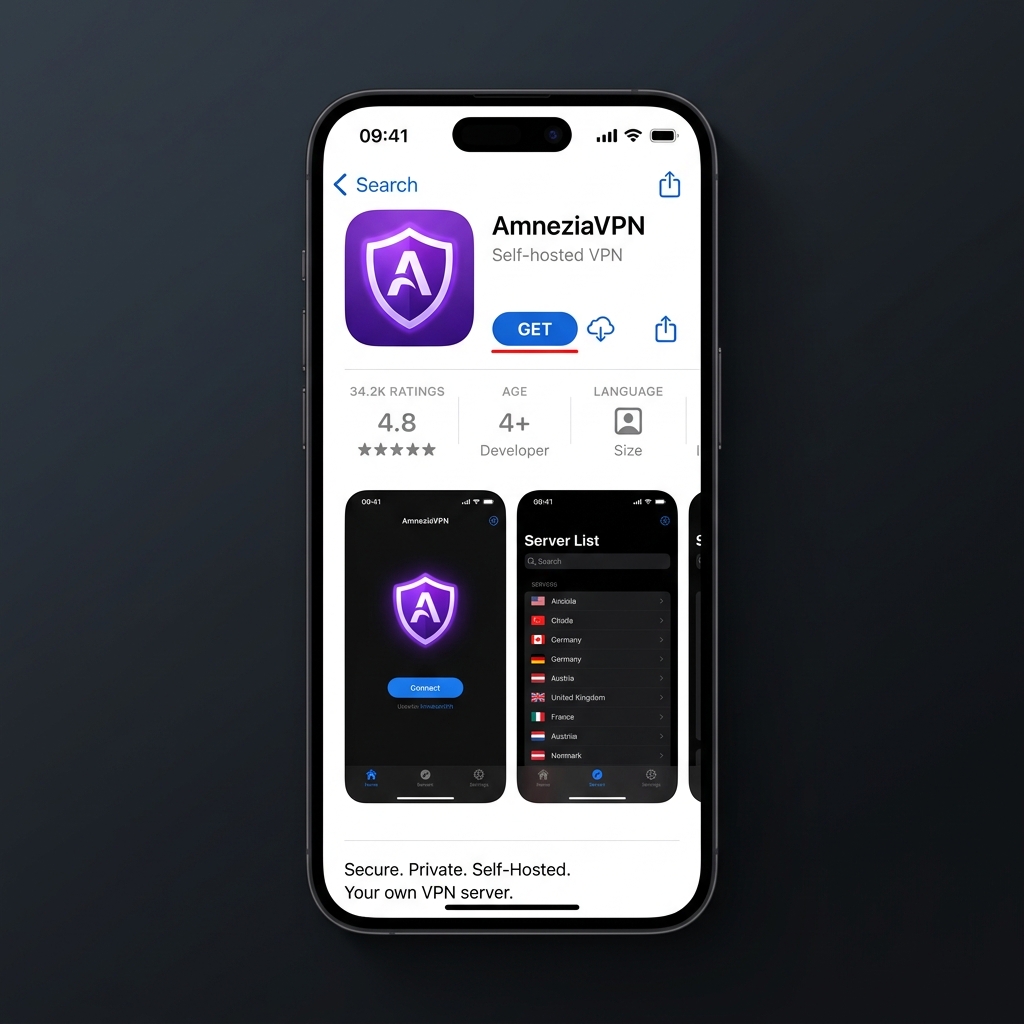
2. 导入配置
在设备上打开此门户,查看配置文件,点击 "在 Amnezia 中打开" 链接或扫描二维码。
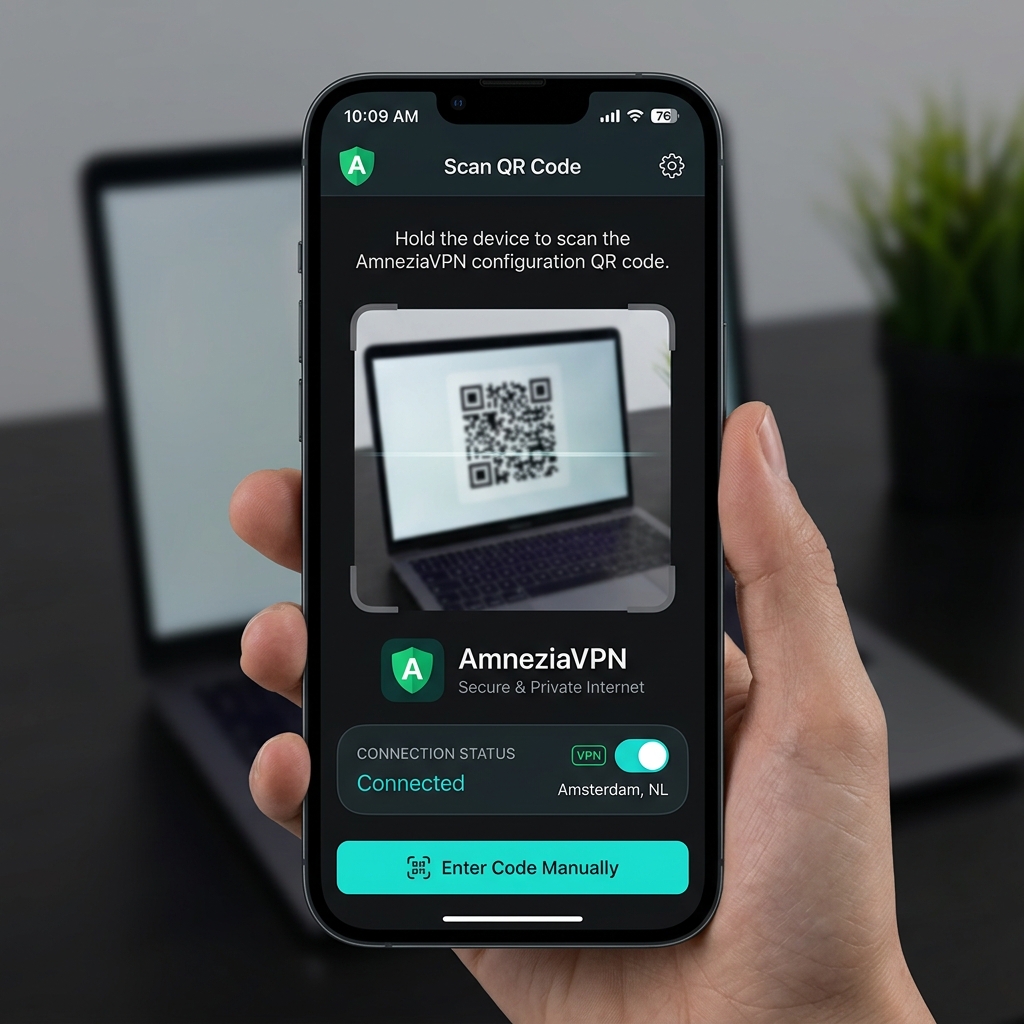
3. 连接
在 AmneziaVPN 中点击连接开关。如果弹出提示,请批准 iOS 的 VPN 配置添加权限。
备选:Hiddify 应用(VLESS / Shadowsocks)
A. 1. 下载 App
为您的平台下载 Hiddify 应用。
B. 2. 导入配置
从下载页面复制您的 vless:// 或 ss:// URI,或准备扫描二维码。
C. 3. 连接
打开 Hiddify,点击 '+' 按钮,选择 '从剪贴板添加' 或 '扫描二维码',然后点击连接。